Free AI Marketing Stack for Small Business: 6 Tools, $0, One Weekly Workflow
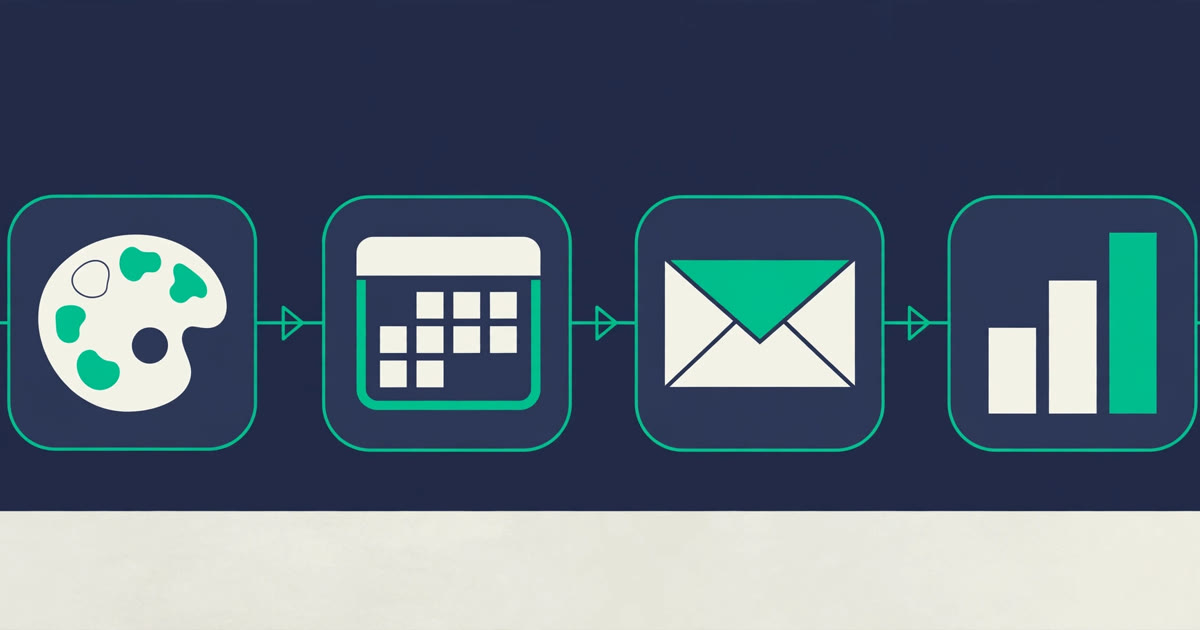
Six free tools, $0 a month, one weekly workflow: the free AI marketing stack for small business, with every free ceiling checked in November 2026 — and the exact point where each tool starts charging.
A free AI marketing stack for small business is not a list of tools. It is six tools that hand work to each other, in the same order, every week — write, design, schedule, send, measure, connect — for $0 a month. The difference matters because a list tells you what exists and a stack tells you what to do on Monday morning. This guide builds the stack, shows exactly how one piece of work moves through all six tools, and gives you a weekly routine that takes three and a half hours. Every free ceiling below was checked on the vendors' own pricing pages in November 2026, and the point where each tool starts charging is stated next to it. No tool here asks for a credit card to start, and none of the six is a 14-day trial wearing a free label — with one honest exception, Zapier, which puts new accounts on a 14-day trial of its paid plan before dropping them back to free.
The free AI marketing stack for small business at a glance
Six layers, six tools, $0 a month. Each tool does one job and hands its output to the next tool in the line. Nothing here does two jobs, because a tool doing two jobs badly is how a free stack turns into a mess.
| Layer | Tool | What it does in the stack | The free ceiling that matters |
|---|---|---|---|
| Write | ChatGPT | Drafts every word: posts, emails, captions, outlines | Unlimited text chats; image creation, uploads, voice and deep research are limited |
| Design | Canva | Turns drafts into graphics, flyers and post images | Limited access to Standard and Premium AI tools (pooled monthly allowance; no number stated) |
| Schedule | Buffer | Queues the week's posts and publishes them on time | 3 channels, 10 scheduled posts per channel |
| Send | HubSpot | Sends the weekly email and keeps the customer list | 2,000 email sends a month; 1 automated action |
| Measure | Google Search Console | Shows what people actually searched for and clicked | None — a free service with no paid tier |
| Connect | Zapier | Moves new leads and data between the other tools | 100 tasks a month; two-step Zaps only |
Two tools that look like obvious picks are deliberately not in this stack. Copy.ai is not here because it ended its free plan in February 2026 — its own help centre says so — so a stack built on it would break the moment you signed up. Mailchimp is not here because its free plan lists generative AI features as not included, and its 250-contact, 500-send monthly cap is a quarter of HubSpot's 2,000 sends. Both are fine tools with paid plans. Neither belongs in a $0 stack.
Why six tools — and why not twelve
Every "free tools" list on the internet has twelve tools in it, and that is the first mistake. A stack you cannot hold in your head is a stack you will abandon by week three. There is research behind that instinct. Boston Consulting Group researchers, writing in Harvard Business Review in March 2026, surveyed 1,488 full-time US workers about working with AI. Self-reported productivity rose as people went from one AI tool to two, and again to three — then it dipped once they were juggling four or more. The researchers called the fatigue "AI brain fry": mental tiredness from supervising AI output beyond what your attention can hold. Marketing workers reported the highest rate of it, 26%, and the workers who felt it reported 33% more decision fatigue and 39% more major errors than everyone else.
That finding is the design principle of this stack. Six tools live in it, but you never touch more than three on any single day — Monday is ChatGPT and Search Console, Tuesday is Canva, Wednesday is Buffer, Thursday is HubSpot, Friday is Search Console and Zapier. The tools are many; the daily load is small. A twelve-tool stack fails for the same reason a twelve-step morning routine fails: it is not the tools that break, it is the owner. And the fatigue is not rare: 14% of the workers surveyed said they had felt it.
The payoff for keeping it small is real, and it is measured in hours, not in features. Adobe surveyed 431 small business owners in April 2026 and found 85% were already using generative AI; the 38% who used it for social media content saved an estimated 175 hours and $5,816 a year, and 47% of the owners surveyed said their revenue had risen since they started using AI tools, by an average of 21%. Those are self-reported numbers, so treat the dollars as an estimate rather than a payslip — but the direction is the point. The hours come from posting regularly with a system, not from owning more software.
The six tools, and what each one costs you
Every ceiling below is the real one, from the vendor's own pricing page, checked in November 2026. If a ceiling would stop your actual workload, that is the tool to watch — the upgrade rules at the end of this guide say which one to pay for first.
1. ChatGPT — the writer
ChatGPT writes everything in this stack: the three social posts, the weekly email draft, the captions, the blog outline. Its free plan gives you unlimited text chats, with limits only on image creation, file uploads, voice chats and deep research, according to OpenAI's pricing page. That is the whole writing job for most small businesses. The catch is the one that applies to every AI writer: it invents facts with total confidence, so check every name, price and date before anything goes out under your business name. If you want the full comparison of the two general assistants, our ChatGPT vs Claude comparison for small business covers what $20 a month buys on each side.
2. Canva — the designer
Canva turns the week's drafts into graphics. Its free plan gives you the full editor, more than 1.6 million templates and 5GB of storage, and limited access to its Standard and Premium AI tools — the allowance is pooled across AI tools and resets monthly, and Canva's pricing page no longer states a number for the free plan (it stated up to 20 uses a month when we read it in October 2026). Three graphics a week is light use, but complex tasks use more allowance, so count your generations. The free plan leaves out background removal and bulk resizing, which need a paid plan; Pro costs $144 a year. If Canva's ceiling bites, the answer is not a second design tool — it is fewer AI generations per graphic, or the paid plan.
3. Buffer — the scheduler
Buffer holds the week's posts and publishes them while you do other work. Its free plan connects up to 3 channels, holds 10 scheduled posts per channel, stores 100 ideas and includes its AI Assistant, according to Buffer's pricing page. Three posts a week on three channels is 9 posts a week against a queue that holds 30 — the queue refills as posts go out, so you are never near the limit at this pace. The paid Essentials plan costs $5 a month per channel and removes the cap. Buffer is the first ceiling most owners hit, because posting daily fills a 10-post queue in ten days per channel — and three posts a day fills it in just over three days.
4. HubSpot — the sender and the address book
HubSpot sends the weekly email and keeps the customer list in the same place. Its free plan covers 2,000 email sends a month, one automated action, live chat, and a free CRM with no cap on non-marketing contacts, per HubSpot's pricing page. Its Campaign Assistant drafts landing pages, emails and ad copy free, and basic AI email writing is available on all plans including free. The maths is the thing to plan around: a 500-person list emailed once a week is 2,000 sends a month — exactly at the ceiling. A 250-person list is 1,000 sends, half the ceiling. The two catches on free are the HubSpot branding on your emails and the 2,000-send cap. The autonomous agents — the content agent, customer agent and prospecting agent — need a Professional or Enterprise plan and consume paid HubSpot Credits per action, so they are not part of this stack.
5. Google Search Console — the measurer
Search Console is the only tool in this stack with no ceiling at all. Google describes it as "a free service offered by Google that helps you monitor, maintain, and troubleshoot your site's presence in Google Search results", and there is no paid tier. It shows which searches brought people to your site, which pages got clicks, and whether Google has indexed your pages. It does not tell you what to write — it tells you what people already wanted and whether they found you. That is the input for Monday's planning, and the check for Friday's review. It needs a Google account and a verified website property, and nothing else.
6. Zapier — the connector
Zapier is the glue: it moves data between the other five tools so you do not have to. Its free plan costs $0 a month and includes 100 tasks a month, unlimited Zaps, two-step Zaps and Zapier Copilot, on Zapier's own pricing page as read in November 2026. One task is one successful action — one new lead copied from a form into a spreadsheet is one task — so 100 tasks covers 100 new leads a month. Two honest catches. First, a new account is put on a 14-day trial of the Professional plan, no card required, and then drops back to Free — so the first two weeks feel more powerful than the plan you actually keep. Second, if you hit the 100-task limit, your Zaps pause until the next month unless you switch on pay-per-task billing. Professional starts at $19.99 a month. One Zap is enough to start: when a new contact lands in HubSpot, copy the name and email into a Google Sheet so you always have a backup of your list outside any one tool.
How the six tools hand work to each other
A stack earns its name when work flows through it without being retyped. Here is one real piece of work — a weekly offer post — moving through all six tools, and the handoff at each step.
It starts in Search Console on Monday morning. You open the Performance report and see that "emergency plumber near me" brought 40 clicks last week and your services page sits at position 9 for it. That is the week's topic: not a guess, a query real people typed. You ask ChatGPT to draft three posts about it — one offer, one tip, one customer question answered — and a short email version. Tuesday, Canva turns the offer post into a graphic: one AI generation for the image, the text typed in by hand so nothing is misspelled. Wednesday, Buffer queues all three posts across your channels, and the queue still has room for next week. Thursday, HubSpot sends the email version to your list. Friday, Search Console tells you whether the services page moved, and Zapier has quietly copied every new email signup into your backup sheet all week.
Nothing was retyped. Nothing was copied from one tab to another by hand. The only human decisions were the topic, the offer, and the final read-through before anything went out. That is the whole point of a stack: the tools do the carrying, and you do the deciding.
The weekly workflow: three and a half hours, Monday to Friday
The stack runs on a fixed weekly rhythm. Same days, same jobs, same time boxes. A routine you can keep is worth more than a perfect plan you abandon.
| Day | Time | Tools touched | The job |
|---|---|---|---|
| Monday | 60 min | Search Console, ChatGPT | Check last week's searches and clicks; pick one topic; draft 3 posts and 1 email |
| Tuesday | 45 min | Canva | Make 3 graphics from the drafts; check every word for spelling |
| Wednesday | 30 min | Buffer | Queue the 3 posts across your channels; read each one once before it goes out |
| Thursday | 45 min | HubSpot | Send the weekly email; add any new contacts to the CRM |
| Friday | 30 min | Search Console, Zapier | Check what moved; confirm the week's signups landed in the backup sheet |
That is 210 minutes a week — three and a half hours, or about 30 minutes a day. No day touches more than two tools, which is the BCG finding applied directly: the stack is six tools wide and never more than two tools deep on any given day. If a week is busy, cut Tuesday's graphics to one and skip Thursday's email — the stack still runs, just thinner. What you must not cut is Monday's planning, because a week without a topic is a week of random posts, and random posts are what this stack exists to prevent.
What to pay for first — and what never to pay for
Every free ceiling in this stack breaks eventually, and the order they break in tells you what to pay for first. Pay for the ceiling that costs you real time, not the one that sounds most impressive.
Buffer first, if you post daily. Its 10-post queue is the tightest ceiling in the stack for a daily poster — ten days of posts fills it, and a channel posting three times a day fills it in just over three days. Essentials is $5 a month per channel and removes the cap.
HubSpot first, if your list grows. The moment your weekly email to your whole list passes 2,000 sends a month — a 500-person list emailed weekly — you need a paid plan or a smaller mailing rhythm. Do not pay for a bigger list you have not built yet.
ChatGPT Plus ($20 a month) when the free limits interrupt you. If image generation or deep research limits stop your writing more than once a week, the $20 is cheaper than the lost hour. If they never interrupt you, the free plan is doing its job.
Canva Pro ($144 a year) when the free AI allowance runs out mid-month. If it runs out by the third week, you are using AI generations for jobs a template would do. Fix that first; pay second.
Zapier Professional ($19.99 a month) when 100 tasks a month runs out. That means more than 100 new leads or automated actions a month — a good problem, and the last one to solve, because it means the stack is working.
Never pay for Search Console. There is no paid tier. Anyone selling you a "Search Console Pro" is selling you something else.
Where the free AI marketing stack for small business breaks
A free AI marketing stack for small business has real limits, and this guide would be dishonest if it skipped them. The first is volume. The ceilings above are generous for a business posting three times a week and emailing once — but a business posting daily on five channels, or emailing a 5,000-person list, will outgrow Buffer and HubSpot within a month. Free tiers restrict volume, not functionality, and the stack is built for the first few hundred customers, not the first few thousand.
The second is automation depth. Zapier's free plan allows two-step Zaps only — one trigger, one action. Anything with a condition, a filter, or a second step needs Professional. HubSpot's free plan allows one automated action. So the stack automates the simple handoffs and leaves the clever ones to you. That is a fair trade at $0, and a reason to pay later, not a reason to buy six paid plans on day one.
The third is the one no tool fixes. None of these six knows your customers: who they are, what they worry about, or why they buy from you instead of the shop down the road. None of them fact-checks: AI drafts read as if they are certain, even when they are wrong, so every name, number, date and price needs checking against a source you trust before it goes out. And none of them sounds like you unless you teach it: paste in two or three pieces of your own writing — a good email, a post that worked — and ask for the same tone, then edit the result. A draft you publish untouched will read like everyone else's draft, because it is.
They also do not keep your data private by default. Do not paste customer lists, quotes with real names, or anything you would mind leaking into a free tool. Treat a free tool as a public place: useful for drafting, the wrong place for anything sensitive.
Why it matters: the habit is the stack
Free tools do not fail on price. They fail on the owner stopping after week two, when the novelty wears off and Monday's planning feels like a chore. Thryv's 2025 survey of 540 small-business decision-makers found AI adoption among firms with 10 to 100 employees jumped from 47% to 68% in a single year — your competitors are already drafting with AI. But the U.S. Census Bureau's Business Trends and Outlook Survey, analysed by the Federal Reserve Bank of Minneapolis, puts the wider picture differently: 20% of American firms were using AI in the first months of 2026, and only 17% of firms with fewer than 20 employees. The smallest firms mostly have not started. A one-person business that posts three times a week, emails once, and checks what worked every Friday is doing more marketing than four out of five firms its size.
Start with two tools, not six: ChatGPT for words and HubSpot for email. Run them for a month. Add Canva when you start posting visuals every week, Buffer when scheduling eats your Friday afternoons, Search Console once your site exists, and Zapier when you are tired of copying names between apps by hand. The stack above costs nothing. The gap is the habit, not the budget. All prices and limits above were checked on the vendors' own pricing pages in November 2026 — ChatGPT, Buffer and HubSpot were read on 7 November 2026, Zapier and Google Search Console the same day, and Canva's was re-checked on 7 November 2026 — its pricing page no longer states a number for the free AI allowance (it stated up to 20 uses a month when we read it in October 2026). Free tiers change, so check the pricing page again before you build a workflow around one. Our guide to the eight best free AI tools for small business marketing covers the tools this stack leaves out, and more guides live in Marketing & Content — read how we work.
Frequently asked questions
What is a free AI marketing stack for small business?
A free AI marketing stack for small business is six free tools that hand work to each other in the same order every week: ChatGPT writes, Canva designs, Buffer schedules, HubSpot sends the email and keeps the customer list, Google Search Console measures what people searched for, and Zapier moves data between them. Total cost is $0 a month. The stack is the system — the tools, the handoffs between them, and the weekly routine — not just a list of apps.
How much does a free AI marketing stack for small business cost per month?
Nothing — $0 a month, if you stay inside the free ceilings. ChatGPT's free plan gives unlimited text chats, Canva's free plan gives limited access to its Standard and Premium AI tools (the allowance is pooled across AI tools and resets monthly, and Canva no longer states a number for it on its pricing page), Buffer connects 3 channels with 10 scheduled posts each, HubSpot allows 2,000 email sends a month, Google Search Console has no paid tier, and Zapier's free plan includes 100 tasks a month. You pay only when a ceiling costs you real time — Buffer's $5 a month per channel is usually the first one.
How many hours a week does the free AI marketing stack take?
Three and a half hours a week — 210 minutes, Monday to Friday. Monday is planning and drafting (60 minutes), Tuesday is design (45 minutes), Wednesday is scheduling (30 minutes), Thursday is the weekly email (45 minutes), and Friday is measuring (30 minutes). No day touches more than two tools, which keeps the daily load small enough to actually keep doing.
What is the first tool to pay for in a free AI marketing stack for small business?
It depends on which ceiling breaks first. Buffer is usually first if you post daily — its 10-post queue fills in just over three days per channel, and Essentials is $5 a month per channel. HubSpot is first if your list grows past 2,000 sends a month, which is a 500-person list emailed weekly. ChatGPT Plus at $20 a month comes first only if free limits interrupt your writing more than once a week.
Can a free AI marketing stack replace a marketing agency?
No. A free AI marketing stack replaces the doing — drafting, designing, scheduling, sending, measuring — but not the deciding. No tool in it knows your customers, your positioning, or why someone buys from you instead of a competitor. An agency brings strategy and judgment; the stack brings cheap, consistent execution. For a small business doing its own marketing, the stack is enough to start. For positioning, pricing and campaigns that have to land, a human still decides.