Zapier vs Make for Small Business: The Real Cost of Each Workflow
Zapier vs Make for small business, priced per workflow: what the same 5-step automation costs at 500, 2,000 and 5,000 runs a month, the polling trap that eats 43,200 Make credits, and a straight pick for solo owners, small teams and heavy automation — checked on both vendors' pricing pages in November 2026.
Zapier vs Make for small business comes down to one thing most comparisons bury under feature tables: the meter. Both tools move data between your apps. Both have a free plan. Both will run the same five-step workflow. But they count the work differently, and that difference — not the sticker price — decides what you actually pay each month. Zapier charges per completed action step and never charges for checking. Make charges per module that runs, including the checks. This guide works out what the same workflow costs on each at 500, 2,000 and 5,000 runs a month, with every price checked on the vendors' own pricing pages in November 2026.
Zapier vs Make for small business at a glance
The whole comparison in one table, then each part in detail. Prices are the vendors' own published US list prices, checked in November 2026. "Annual" means billed yearly; monthly billing costs more on both.
| Zapier | Make | |
|---|---|---|
| What it counts | Tasks — one per successful action step; triggers and checks are free | Credits — one per module that runs, including polling checks |
| Entry paid plan (annual) | Professional from $19.99 a month, 750 tasks** | Make Plan from $9 a month (5,000 credits); 10,000 credits $16 a month (annual) |
| Free plan | 100 tasks a month, two-step Zaps only | 1,000 credits a month, 2 active scenarios, 15-minute interval |
| App integrations | 9,000+ | 3,000+ |
| How you build | Linear step list; Copilot builds from a sentence | Visual canvas; Maia cobuilder in public beta |
| Best for | Simple automations, fast setup, widest app coverage | Multi-step branching workflows at volume, lowest unit cost |
*One honest flag before the maths: Make has restructured its pricing — there is no Core, Pro or Teams plan anymore. There is one paid plan, called the Make Plan, priced by how many credits a month you need: $9 a month buys 5,000 credits on annual billing, $16 buys 10,000, $29 buys 20,000, and it scales up from there. That is why older comparisons disagree about Make's price — they were written when a $9 Core plan bought 10,000 credits, and the $12 figure some of them quote appears nowhere on Make's live pricing page. Every price in this guide was read on make.com/pricing on 7 November 2026.
**Zapier's pricing page does not print a task allowance for the Professional plan — it prices by a task slider without a task-count label. The 750-task figure comes from Zapier's own comparison page and independent comparisons.
How each one counts what you use
Zapier counts tasks. A task is one action step that completes successfully — one new lead copied into a spreadsheet, one Slack message sent, one row added. The trigger that starts the Zap costs nothing, and neither does checking: Zapier's pricing page says plainly that it never charges a task to check for new data, only when an action completes. Several built-in steps are free too — Filter, Formatter, Paths, Tables, Forms, Delay, Looping, Sub-Zap, Digest, Manager and Storage do not count as tasks. The catch is the other direction: every action step in a multi-step Zap counts separately, and AI steps, code and the newer MCP tool calls draw from the same task pool — one MCP tool call uses two tasks. When you hit your limit, Zapier emails you and either switches you to pay-per-task billing at a higher per-task rate, if you have it on, or pauses your Zaps until the next month.
Make counts credits. Each module that performs an action consumes one credit in most cases — reading a record, searching, creating, updating, deleting, transforming, iterating, aggregating. A few things are free: router modules and error-handler modules (Rollback, Break, Resume, Commit, Ignore) do not consume credits. AI features that use Make's AI Provider may consume more than one credit per action. Credits expire at the end of the term, and when they run out your scenarios stop until you buy more — extra credits come in bundles of 1,000 or 10,000. The asymmetry that matters most is polling: a scenario that checks an app for new data burns one credit on every check, even when it finds nothing. That one rule is where Make bills quietly grow, and it gets its own section below.
What the same workflow costs on each
Take one ordinary small-business workflow with five action steps — a new form submission triggers it, and it checks the email against the CRM, adds the lead, sends a Slack message, creates a follow-up task, and logs the row in a sheet. The trigger is free on both. Five action steps means five tasks on Zapier and five credits on Make, per run. Here is what that costs at three volumes.
| Runs a month | Zapier tasks used | What you pay on Zapier | Make credits used | What you pay on Make |
|---|---|---|---|---|
| 500 | 2,500 | Above Professional's 750 tasks — next tier up | 2,500 | Inside the $9 tier's 5,000 credits — $9 a month |
| 2,000 | 10,000 | About $73.50 a month | 10,000 | Exactly the 10,000-credit tier — $16 a month (annual) |
| 5,000 | 25,000 | Well above the entry tier — a much higher plan and bill | 25,000 | Needs the 40,000-credit tier — $53 a month (annual) |
The 2,000-run row is the one to remember. Stacko's hands-on comparison, written when Make still sold a Core plan, puts a five-step workflow at 2,000 runs at about $9 on Make Core versus $60 to $80 or more on Zapier — on today's pricing that Make figure is about $16 a month, the 10,000-credit Make Plan on annual billing. And dev.to's breakdown puts 10,000 monthly events at about $73.50 on Zapier against $18.82 on Make's monthly billing — $18.82 is the price of 10,000 credits a month; the $10.59 figure dev.to quotes is the 5,000-credit monthly price. One run of this five-step workflow costs about 13 cents on Zapier's Professional plan — $19.99 divided by 750 tasks, times five steps — and about 0.8 cents on Make — $16 divided by 10,000 credits, times five modules. On the $9, 5,000-credit tier the Make run costs about 0.9 cents — still under a cent. The 750-task figure is not printed on Zapier's pricing page, which prices by a task slider without a task-count label; it comes from Zapier's own comparison page and independent comparisons. The gap is not a rounding error. It is the counting model.
Two honest corrections to that gap. First, Zapier's free steps narrow it on filter-heavy workflows: a Zap that checks three conditions before acting pays for the actions only, while the equivalent Make scenario pays a credit for each filter module that runs. Second, the gap reverses at very low volume: a business running two simple two-step Zaps a few times a week never leaves Zapier's free 100 tasks, and pays $0 on either platform. The price difference only bites once a workflow runs hundreds of times a month — which is exactly when the business has outgrown doing it by hand.
The polling trap: the bill that grows while you sleep
Make's polling rule deserves its own warning because it is the one cost nobody budgets for. Some apps have no instant trigger, so Make checks them on a schedule — every minute, every five minutes, every fifteen. Each check costs one credit whether or not anything new arrived. Stacko's hands-on test did the arithmetic: a scenario polling every minute burns 43,200 credits a month — 60 checks an hour, 24 hours, 30 days — before a single action runs. That is more than four times what $16 a month buys (10,000 credits) — and more than the whole allowance of the 40,000-credit tier, so a scenario polling every minute would need the $53-a-month tier plus extra credits — spent on finding nothing. The fix is to use instant (webhook) triggers wherever the app offers one, and to set polling intervals as long as the workflow can tolerate — the free plan's 15-minute floor exists for exactly this reason. Zapier has no equivalent trap: its pricing page confirms it never charges for checking, so a Zap that polls every five minutes costs nothing until something actually arrives. If your must-have app only works by polling, that alone can be the reason to pick Zapier.
The builders: a list against a canvas
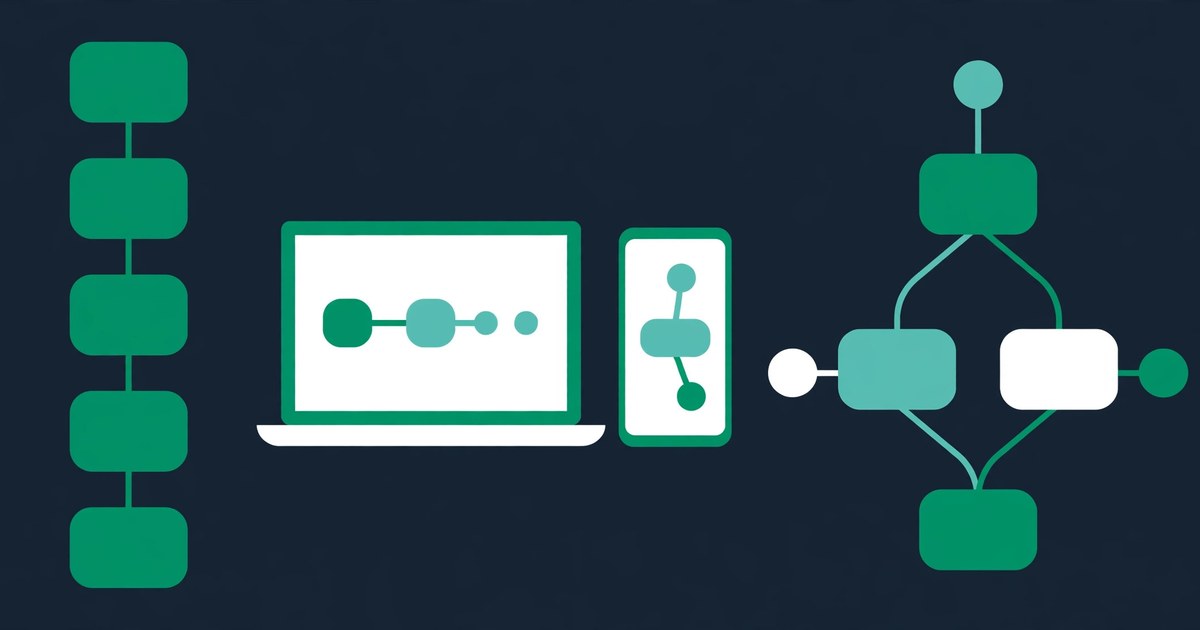
Zapier's builder is a vertical list: trigger at the top, actions below it, one step at a time. It is the fastest way to build a simple automation — Zapier says most workflows run the same day you build them — and Copilot can draft a Zap from a plain sentence. The trade-off is that complex logic gets hard to see: branching happens through Paths, and a Zap caps at 100 steps, a limit Make's own comparison page notes. Make's builder is a canvas: modules as circles connected by lines, with the whole workflow visible at once, including branches, loops, routers, iterators and aggregators. It takes longer to learn, and Make's own comparison page is honest that building in restricted, predefined ways can frustrate new users — but a branching workflow that would be three Zaps and a spreadsheet on Zapier is one scenario on Make. Make's AI cobuilder, Maia, is still in public beta, and its AI Agents product is in open beta; Zapier's Copilot is the more finished first-build tool in 2026, while Zapier Agents — the autonomous version — is packaged separately from the automation plans.
The depth difference shows up in the numbers each platform quotes for the same app. Make's comparison page gives one example: Zapier supports 25 actions in Xero while Make supports 84, including searches. That is Make's own claim about its rival, so take the exact count with a pinch of salt — but the direction is right and it is the reason accountants who automate invoicing tend to land on Make. Our accounting-tools guide compares the invoicing tools themselves. The breadth difference runs the other way: Zapier connects to more than 9,000 apps against Make's 3,000-plus, and Zapier's strength is the long tail — if a niche tool has an API, Zapier probably already connects to it. Both platforms hold SOC 2 and ISO 27001 certification, and Zapier says 3.4 million companies run on its platform.
Free plans: what $0 actually buys
Zapier's free plan gives you 100 tasks a month, unlimited Zaps, and Copilot — but only two-step Zaps. That covers 20 runs of the five-step workflow above, or 100 runs of a two-step one. One honest catch: a new account is put on a 14-day trial of the Professional plan, no card required, then drops back to Free — so the first two weeks feel more powerful than the plan you actually keep. Zapier's free plan also powers the connector layer of our free AI marketing stack, where it copies new signups into a backup sheet. Make's free plan gives you 1,000 credits a month, two active scenarios, and a 15-minute minimum interval between runs. That covers 200 runs of a five-module scenario — ten times Zapier's free allowance for the same workflow — but only two scenarios at once, and the 15-minute floor means nothing on Make Free runs more often than four times an hour. If your whole automation life is two or three workflows, Make Free goes further. If you want a dozen small two-step Zaps, Zapier Free fits better. Neither free plan asks for a credit card to start.
When things break: error handling and reliability
Automations break — an app changes its API, a field goes missing, a service has a bad hour — and the two platforms fail differently. Make shows every scenario execution as a visual step-by-step trace: you see which module failed, what data it received, and what it returned, and you can attach error-handler routes to any module — retry it, ignore it, roll back, or stop — then replay the data from the failure point. That is the best error handling in this comparison, and it is why agencies that run client workflows pick Make. Zapier logs task history and sends custom error notifications on paid plans, but replay is limited: a failed Zap mostly needs rebuilding or rerunning by hand. On reliability at scale, Zapier's comparison page claims outage detection, intelligent throttling and automatic handling of API changes, and points to its 3.4 million companies; Make runs reliably for well-scoped workflows, in Zapier's own words, but has a shorter track record at enterprise scale. For a small business, the practical difference is smaller than the marketing suggests: both will run a lead-routing workflow for months without attention, and both will break the week an app you depend on changes something. What matters is how fast you find out — and Make's trace shows you in one screen.
Zapier vs Make for small business: who should pick which
Pick Zapier if you are a solo owner or a small team with three to five simple automations to build this week. Zapier is live in three minutes, Copilot builds the Zap from a plain sentence, and 9,000-plus apps mean no learning curve. The premium is worth it at low volume, and the free plan covers a dozen two-step Zaps. Stay on Zapier if your must-have app only works by polling, if your team is non-technical and needs things to just work, or if you run enterprise apps like SAP, NetSuite or Workday — Zapier's catalogue covers them and Make's does not go as deep, and the Team plan costs $69 a month for 25 users ($103.50 on monthly billing). Copilot is the more finished first-build tool, while the general assistants that write your drafts — compared in our ChatGPT vs Claude guide — are a different purchase from either automation platform.
Pick Make if your workflows branch, loop or transform data, or if your volume has passed a few hundred runs a month. Make's routers, iterators and error handlers build logic Zapier cannot, the visual canvas keeps a complex workflow readable, and the bill runs three to five times cheaper once scenarios get long. A five-agent team running lead routing, invoicing and follow-ups through one platform will feel the difference in the first invoice. Make's Start-up Plan is worth checking if you have under 20 employees — it offers 50% off the Business plan.
Pick neither — yet — if you are technical and your volume is high enough that per-run pricing hurts on both. n8n, the self-hosted alternative, charges per execution rather than per step, and its Starter cloud plan is $24 a month for 2,500 executions, with a free self-hosted edition. It needs more skill to run than either tool here, so it is a next step, not a first step.
Where Zapier vs Make for small business breaks
Every tool on this page has a ceiling, and the honest version of this guide names them. Zapier's ceiling is the per-step meter: a five-step Zap at 2,000 runs a month needs 10,000 tasks, and the bill climbs with every step you add to a workflow. Adding one more action to a Zap that runs 2,000 times a month adds 2,000 tasks. Make's ceiling is the learning curve plus the polling rule: the canvas takes a week to feel natural, a polling scenario can eat 43,200 credits a month before doing anything, and credits expire at the end of the term — unused credits do not roll over. Both platforms' AI agents are unfinished products in 2026: Make's AI Agents are in open beta and Maia is in public beta, while Zapier's Agents are packaged separately from its automation plans. And neither platform replaces the work of deciding what to automate: the most expensive automation is the one that faithfully does a job nobody needed. Start with one workflow that saves you an hour a week, measure it for a month, and only then build the second one.
Why it matters: most small firms still automate by hand
A QuickBooks survey of 2,200 US small businesses found 68% now use AI regularly, up from 48% in mid-2024 — but using AI and automating the business are different things, and most of the 68% are drafting emails, not wiring workflows. Thryv's 2025 survey found AI adoption among firms with 10 to 100 employees jumped from 47% to 68% in a single year. The gap is the opening: the business that routes every lead, invoice and follow-up automatically is doing more with the same headcount than four out of five firms its size. The choice between Zapier and Make is not the hard part — both work. The hard part is picking one workflow, building it this week, and letting the meter tell you whether you chose right. Start on the free plan of the one that fits your workflow, run it for a month, and switch if the invoice says you were wrong. Both free plans cost nothing to try, and the wrong choice costs a month, not a year. More guides in Productivity & Automation.
Frequently asked questions
Zapier vs Make for small business: which is better?
It depends on the workflow. Zapier is better for a small business with a few simple automations and a non-technical team — it is live in minutes, Copilot builds Zaps from a plain sentence, and it connects to more than 9,000 apps. Make is better once workflows branch or run hundreds of times a month: its visual canvas handles logic Zapier cannot, and a five-step workflow at 2,000 runs costs about $16 a month on Make (the 10,000-credit Make Plan, annual billing) against about $73.50 on Zapier. Start on the free plan of the one that fits your workflow.
Zapier vs Make for small business: is Make really cheaper than Zapier?
At volume, yes — by a wide margin. One run of a five-step workflow costs about 13 cents on Zapier's Professional plan ($19.99 for 750 tasks, per Zapier's own comparison page) and about 0.8 cents on Make's Make Plan ($16 for 10,000 credits a month on annual billing). At 2,000 runs a month that is about $73.50 on Zapier against $16 on Make. At very low volume the difference disappears: both free plans cover a handful of simple workflows for $0. One flag: Make has restructured its pricing — there is no Core plan anymore, only one Make Plan priced by credits — so older comparisons quoting $9 for 10,000 credits are out of date; $9 now buys 5,000 credits.
What is the Make polling trap?
Make charges one credit every time a scenario checks an app for new data, even when it finds nothing. A scenario polling every minute burns 43,200 credits a month before a single action runs — more than four times what $16 a month buys (10,000 credits), and more than the whole allowance of the 40,000-credit tier. Use instant (webhook) triggers wherever the app offers one, and set polling intervals as long as the workflow can tolerate. Zapier never charges for checking, so a polling Zap costs nothing until something actually arrives.
Can I use Zapier or Make for free as a small business?
Yes, both. Zapier's free plan gives 100 tasks a month with two-step Zaps only — about 20 runs of a five-step workflow — and a new account starts on a 14-day Professional trial before dropping back to free. Make's free plan gives 1,000 credits a month and two active scenarios with a 15-minute minimum interval — about 200 runs of a five-module scenario. Neither asks for a credit card to start.
Do Zapier and Make work with Xero and QuickBooks?
Yes, both connect to Xero, QuickBooks and the other accounting tools a small business runs on — our accounting-tools guide compares them in detail. The difference is depth: Make's comparison page says it supports 84 actions in Xero against Zapier's 25, including searches. If your automation lives inside your invoicing workflow, that depth is a real reason to pick Make; if you only need to copy a new invoice into a sheet, either one does it.